Chrome · Edge · Brave · overlay and approve
Enrich the page. Approve the write.
Gravitre lives where you already work: LinkedIn, Gmail, Outlook, company sites. Real actions, not guesses. Your approval before every write. Full audit in Outcomes. Not another CRM bot — just Gravitre, closer.
- Chrome
- Edge
- Brave
Extension path
From overlay to governed outcome
One signature TRACE — enrich on the page, approve the write, then see the same Outcomes trail as chat.
- Overlay01
- Enrich02
- Approve03
- Outcome04
Overlay → enrich → approve → outcome — same gates as chat, closer to the page.
Activation in five steps
The milestone that matters: install → connect → enrich → approve → Outcomes. Minutes, not a project plan.
- 1
Install
Add Gravitre in Chrome, Edge, or Brave — from the Chrome Web Store when listed, or download the pack and load it from the setup guide.
- 2
Connect
Authorize from the popup — same org session as gravitre.app. No second identity system.
- 3
Enrich
Open a LinkedIn profile (or Gmail / Outlook / company page). Overlay runs catalog reads from page context.
- 4
Approve a write
Confirm once. Creates go through catalog write authority — not DOM clicking in HubSpot or Apollo.
- 5
See Outcomes
The run lands in Outcomes / Runs with source browser_extension — same visibility as chat.
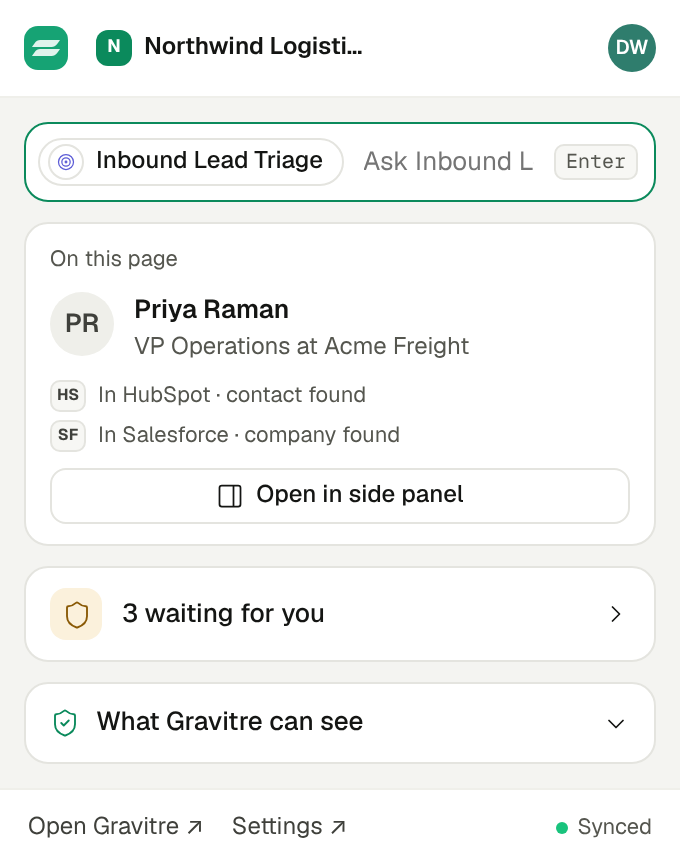
Steps 1 and 2, in the toolbar
Click the Gravitre icon on any supported page. The popup shows who is on the page, where they already live in your connected apps, and what is waiting for your approval.
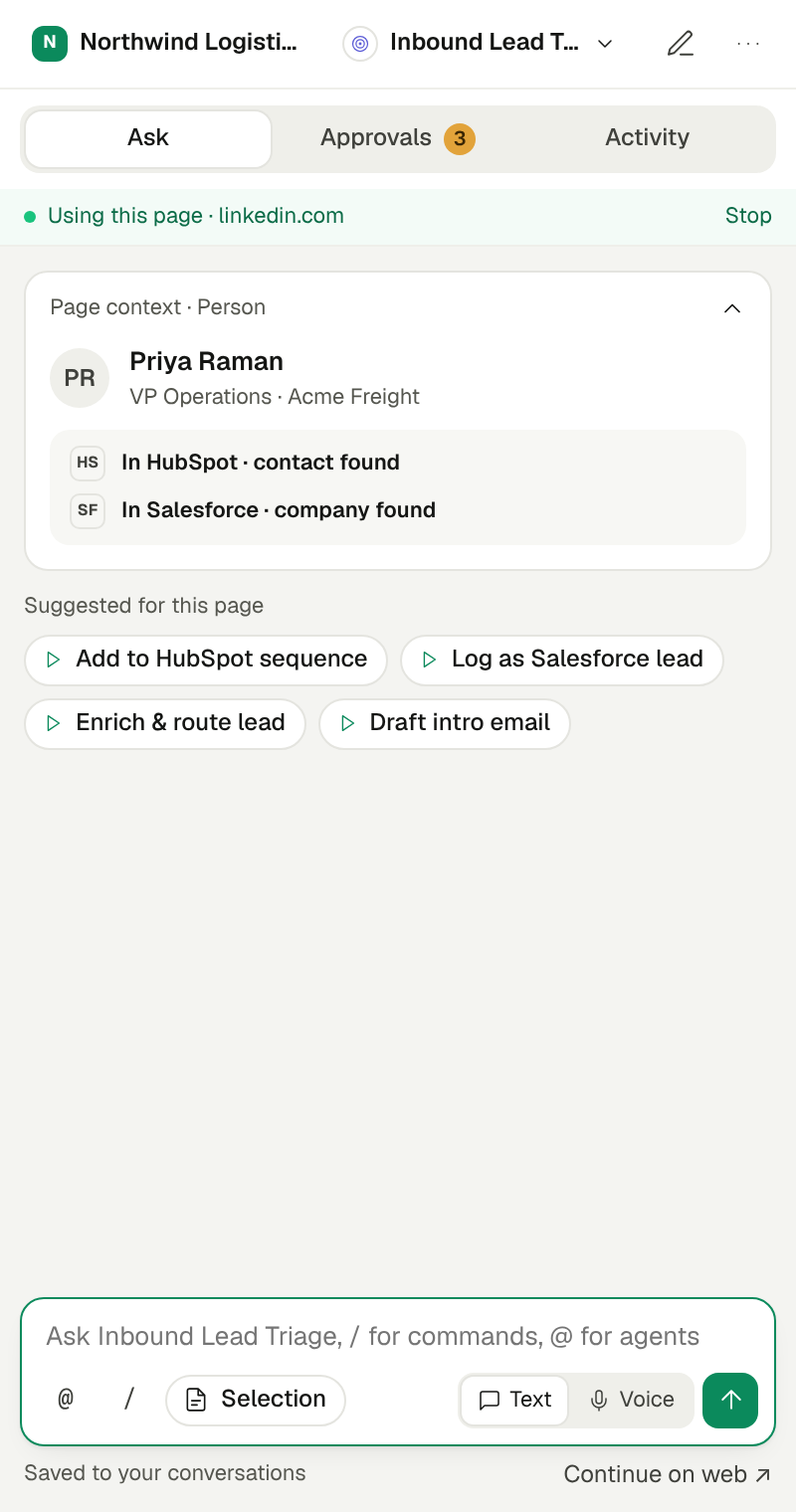
Steps 3 and 4, on the page
The overlay opens beside whatever you are already looking at. You never leave the tab to enrich, and you never leave it to approve.
Step 3 — enrich from page context
Catalog reads run against the tab you are on. Nothing is read until you open the overlay, and matches come straight from the apps you already connected.
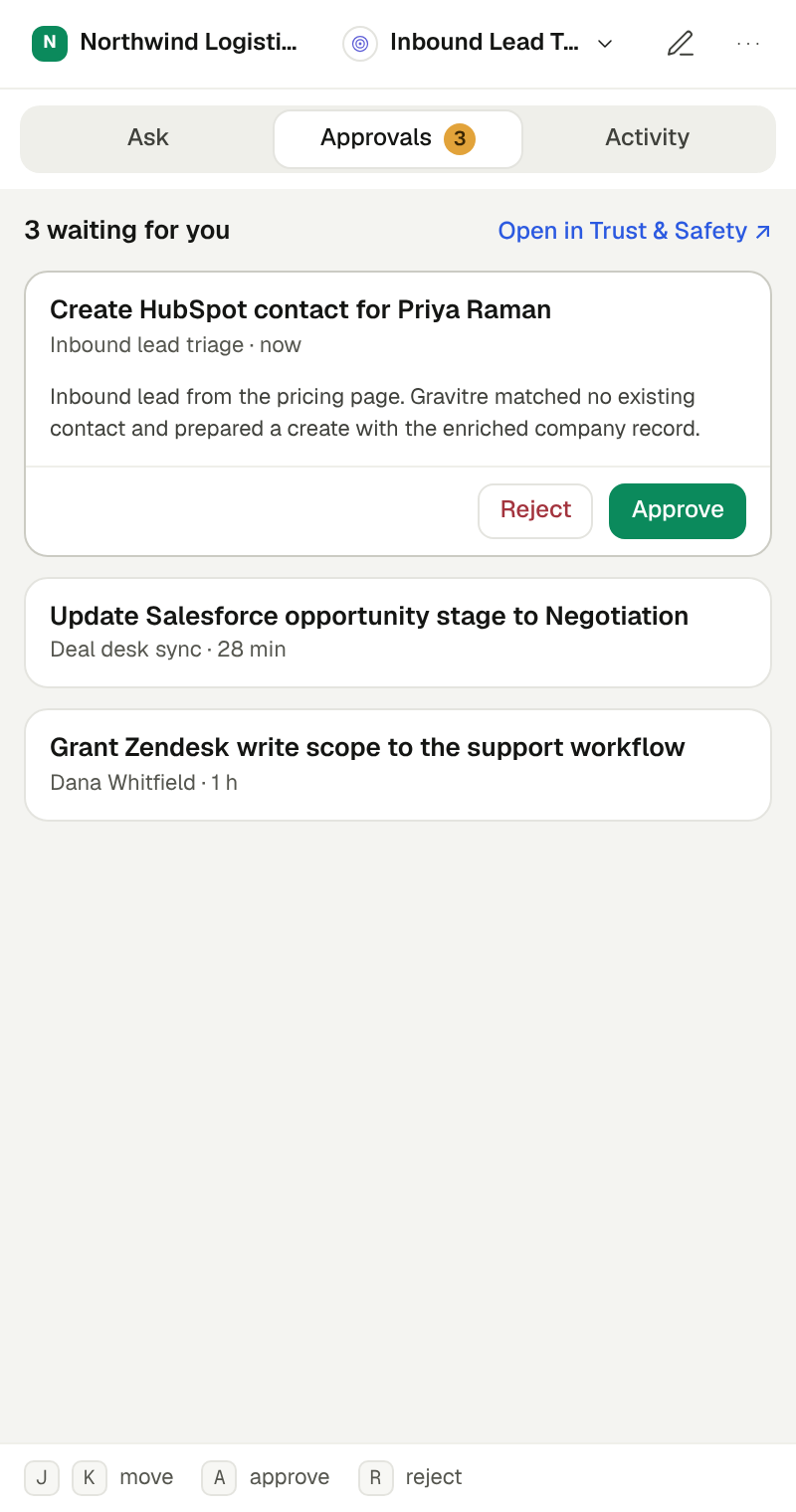
Step 4 — confirm the write
The overlay names the exact catalog action before anything is committed. One confirmation, in the same panel.
Supporting proof
No separate queue, no separate audit trail
The overlay does not get its own approval queue or audit trail. A staged write waits in the same Approvals queue as chat, and the run lands in the same Activity feed — tagged with its source.
Step 4, in the app — the shared Approvals queue
The same confirmation you just saw in the overlay also appears here, with the exact catalog action, its blast radius, and who asked for it.
Step 5, in the app — see it in Outcomes
Extension runs appear with source browser_extension and the same lifecycle chain as chat — planned, approved, executed, verified.
Supported surfaces
Explicit host allowlist — no silent expansion. Page context only; creates and list membership use governed catalog actions (Apollo / HubSpot where connected). Outside-allowlist attempts are recorded as usage signals for prioritization, not as new permissions.
- LinkedIn profiles
- Gmail
- Outlook on the web
- Company websites (when you invoke Enrich)
- Careers / about pages (path-matched)
- Salesforce Lightning / Force hosts
- Slack web (app.slack.com)
Salesforce and Slack overlays use page context plus connected catalog actions (Apollo / HubSpot today). Native Salesforce lead search/create and Slack user lookup activate when those connectors are connected — still catalog only, never DOM automation.
Same governance as chat
Writes stage awaiting confirmation with a server-issued token. Org membership is enforced. Outcomes use Module A finalize — not a side channel.
What it will not do
No InMail spam, no clicking Salesforce/HubSpot UI for you, no agentic multi-step form control. If a catalog action exists, we call it.
Quick chat on the page
Ask a short, page-contextual question in the overlay — same unified-turn path as Gravitre chat. Writes and multi-step work hand off to the full app on the same conversation thread (where the progress panel lives). Proven thread: overlay Q → write handoff.
Workflows from the overlay
Trigger existing typed workflows with the same plan-bar approve pattern as chat — named step labels stay visible while it runs, then open the Outcomes chain. Proven runs: NVD + CISA KEV, HubSpot pipelines + deals, Apollo orgs + HubSpot pipelines.